
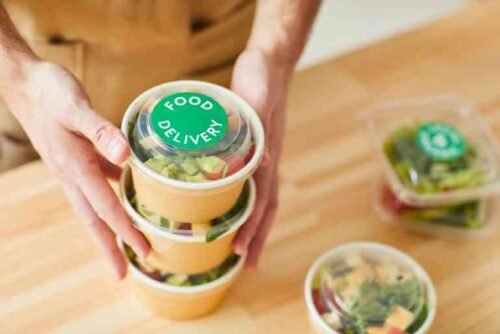
The Open Network for Digital Commerce (ONDC) is transforming the way people order food in India. Unlike traditional food delivery platforms, ONDC is an open network that connects customers, restaurants, and delivery partners through multiple buyer applications. This gives users more choices and often better prices. If you are wondering how to order food from ONDC, this guide will help you understand the process.
What Is ONDC?
ONDC is a government-backed initiative designed to create an open digital commerce ecosystem. Instead of relying on a single food delivery app, customers can access restaurants through participating buyer apps and place orders seamlessly.
Benefits of Ordering Food Through ONDC
Some advantages of ONDC include:
- Access to multiple restaurants
- Competitive pricing
- Reduced platform dependency
- Wider seller participation
- Convenient ordering process
Steps to Order Food from ONDC
Step 1: Download a Supported Buyer App
To order food through ONDC, you need a buyer application that supports the ONDC network. Several apps in India have integrated ONDC services for food ordering.
Step 2: Create or Log In to Your Account
Open the app and register using your mobile number or log in if you already have an account.
Step 3: Enter Your Delivery Location
Provide your address or allow location access so the app can display restaurants available in your area.
Step 4: Browse Restaurants
You can explore different restaurants, cuisines, and food categories. Compare menus, prices, and delivery options before making a selection.
Step 5: Add Items to Cart
Choose your desired dishes and add them to the cart. Review quantities and special instructions if required.
Step 6: Proceed to Checkout
Confirm your delivery address and review the order summary before placing the order.
Step 7: Make Payment
Most ONDC-enabled apps support various payment methods, including:
- UPI
- Debit cards
- Credit cards
- Net banking
- Digital wallets
Step 8: Track Your Order
After successful payment, you can track your order status through the buyer app until it is delivered.
Tips for a Smooth Ordering Experience
- Check restaurant ratings and reviews.
- Verify delivery charges before payment.
- Ensure your delivery address is accurate.
- Use available discounts and offers.
Why ONDC Is Becoming Popular
ONDC promotes fair competition by allowing businesses of all sizes to participate in digital commerce. Customers benefit from increased choices, transparent pricing, and access to local restaurants that may not be available on traditional delivery platforms.
Conclusion
Ordering food from ONDC is simple and convenient. By using a supported buyer app, selecting your preferred restaurant, and completing the payment process, you can enjoy food delivered directly to your doorstep. As ONDC continues to grow, it is expected to provide even more options and benefits for customers across India.
Leave a Reply